
Technical SEO Guide: Faster, Mobile Sites for Small Business


Technical SEO Guide: Faster, Mobile Sites for Small Business
Quick answer: This Technical SEO guide shows the exact crawl, speed, and Mobile fixes that cut lost leads and lift local Rankings — and gives you a 12-step process you can run this week. We focus on measurable thresholds, fast wins, and the trade-offs Small businesses face when they choose between speed, features, and budget.
What is Technical SEO and why it costs you leads
Technical SEO is the engineering under your site that tells search engines what to index and how to render pages. If pages load slowly, break on phones, or block crawlers, you lose visibility and missed calls. You don’t need perfect code; you need the right fixes in the right order so customers can find and use your pages.
Technical SEO guide: our editorial stance
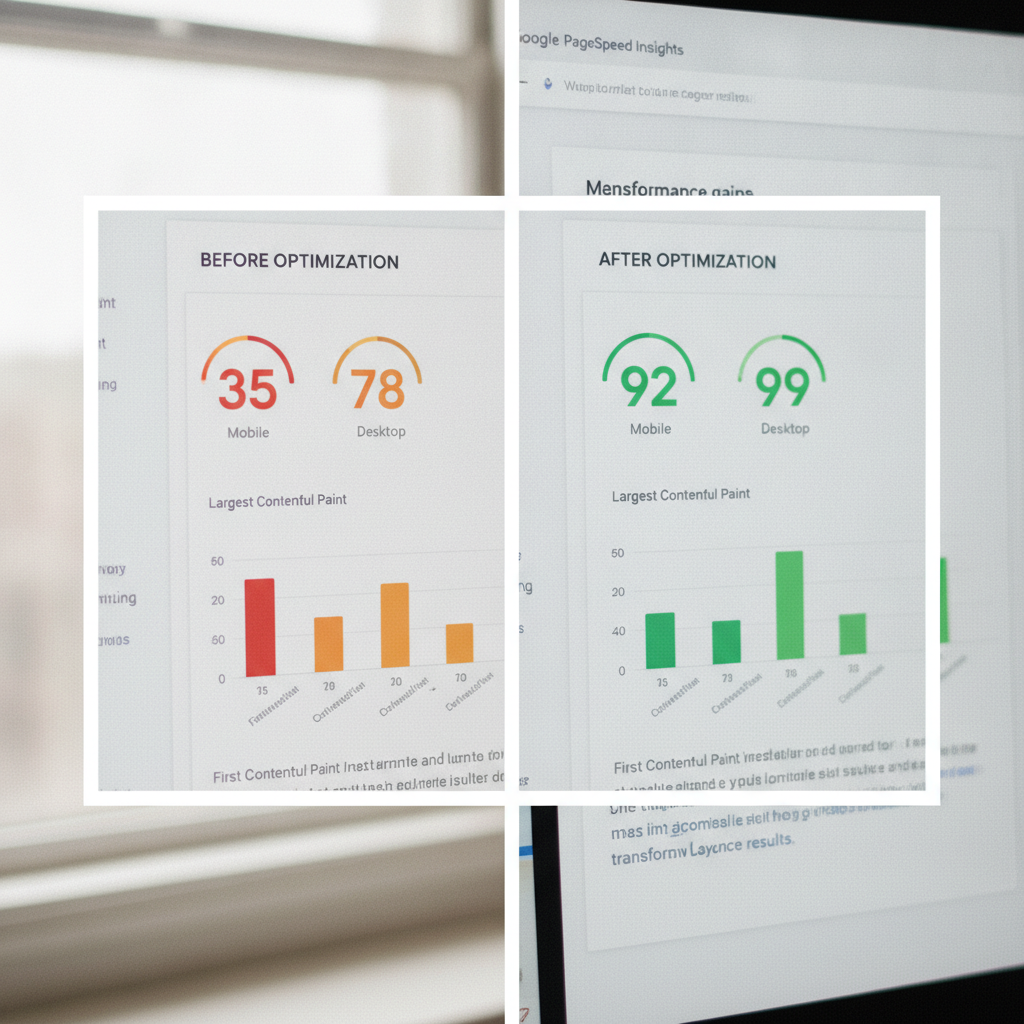
We take a simple position: make your site crawlable, then make it fast on Mobile, then polish content. Fix access and rendering problems first. After that, shaving load time usually produces bigger gains than chasing keyword tweaks on a site that search engines can’t index.
Three core pillars every Small Business must own
We split Technical SEO into three practical pillars: site crawlability, page speed and Core Web Vitals, and Mobile responsiveness. Each section below includes a checklist and one clear takeaway so you know where to act first.
1. Site crawlability — make your content visible
Answer: If search engines can’t reach or index your pages, nothing else matters. The crawlability pillar removes obstacles so new pages appear in search results quickly.
- Run an initial site crawl (Screaming Frog, Sitebulb, or an equivalent) to map status codes and indexability.
- Verify a single, up-to-date XML sitemap is at /sitemap.xml and referenced in robots.txt.
- Robots.txt should allow the user-agent for major crawlers and not block CSS/JS required for rendering.
- Fix redirect chains and soft 404s: convert 302s to 301s where permanent, and eliminate chains longer than two hops.
- Canonicalize duplicates using rel=canonical tags and ensure canonical targets return 200 OK.
- Enable HTTPS site-wide and update internal links to use https URLs only.
- Deploy structured data where it helps local Business results (LocalBusiness schema for storefronts).
Takeaway: If a page is blocked, misredirected, or absent from the sitemap, it won’t earn traffic no matter how good the content is.
2. Page speed & Core Web Vitals — tune for humans and ranking signals
Answer: Faster pages convert more visitors and improve signals search engines use. Set measurable targets and monitor continuously.
We align performance targets with Google’s RAIL Model for Web Performance, which gives concrete goals you can test. Aim for response under 100 ms, Small idle work under 50 ms, animation frames near 10 ms, and meaningful load as close to 1 second as your stack allows.
Checklist — immediate wins:
- Enable lossless compression: Brotli or Gzip at the webserver level.
- Serve static assets with long cache lifetimes and immutable fingerprinting (Cache-Control: public, max-age=31536000, immutable for hashed files).
- Use modern image formats (WebP/AVIF) and responsive srcset to avoid Mobile oversize images.
- Defer non-critical JavaScript and inline critical CSS to reduce render-blocking resources.
- Preload the main webfont and the hero image; avoid preloading lots of assets that delay rendering.
- Remove unused third-party scripts; replace heavy analytics tags with a lighter implementation and server-side tagging when feasible.
- Use a CDN close to your users and enable HTTP/2 or HTTP/3 if the host supports it.
Testing protocol (exact process we run):
- Run Lighthouse in CI for a lab baseline and field data in Chrome UX Report when available.
- Collect RAIL-oriented traces: measure Time to First Byte (goal <200 ms where possible), First Contentful Paint (FCP), Largest Contentful Paint (align with meaningful load), and Total Blocking Time / Interaction to Next Paint.
- Prioritize fixes that reduce payload size (look for >100 KB savings), remove render-blocking JavaScript, or eliminate long main-thread tasks (>50 ms).
- Deploy changes to a staging subdomain, measure, then roll to production behind a feature flag.
Takeaway: Attack resource size and render-blocking work first — they yield the largest speed gains for the smallest budget outlay.
3. Mobile responsiveness — make local customers convert
Answer: Most local searches happen on phones. Pages must be fast and usable on Small screens; broken forms or tiny tap targets cost you calls and foot traffic.
Checklist — Mobile priorities:
- Use responsive design with a Mobile-first stylesheet and fluid layout; avoid separate m.domain sites unless you have a legacy reason.
- Make CTAs, phone links, and forms large enough for touch; ensure viewport meta is present.
- Lazy-load off-screen images but ensure above-the-fold images are preloaded.
- Test on real devices and throttled network conditions (3G/4G emulation) to catch edge cases.
- Validate Mobile usability reports in Google Search Console regularly and fix errors within two weeks.
Takeaway: A Mobile experience that looks right but slows or breaks on real phones will cost more in lost conversions than any backlink you can build.
How to run a 12-step Technical SEO audit (exact steps and thresholds)
Below is the step-by-step process we use at Maxseen when we audit a Small Business site. You can follow this checklist and measure the same outcomes we track.
- Inventory pages and indexability (Screaming Frog crawl). Threshold: fewer than 5% unexpected 4xx/5xx pages.
- Confirm sitemap and robots.txt (sitemap at /sitemap.xml, robots.txt accessible). Threshold: sitemap lists canonical URLs only.
- Check HTTPS and HSTS. Threshold: no mixed-content warnings and HSTS enabled for one year where appropriate.
- Resolve redirect chains to a single 301 hop; convert permanent 302s. Threshold: average redirects per URL < 0.5.
- Validate canonical tags and hreflang where used. Threshold: canonical points to 200 OK and is self-consistent.
- Audit structured data for LocalBusiness and HTTP headers for caching. Threshold: zero schema errors and cache-control present on static assets.
- Measure server response and TTFB. Threshold: TTFB < 500 ms for Small shared hosts; aim < 200 ms when using CDN or managed hosting.
- Compress assets (Brotli/Gzip) and enable HTTP/2 or HTTP/3. Threshold: text-based assets compressed; duplicate files removed.
- Optimize images: convert hero images to WebP/AVIF and serve scaled images. Threshold: reduce image payload by at least 30% without visible quality loss.
- Defer non-critical JS and inline critical CSS. Threshold: Lighthouse Performance score improved by 10 points after removal of render-blocking resources.
- Run Lighthouse and field metrics; record LCP/FID (or INP) and CLS baselines. Threshold: use RAIL targets as aspirational baselines and reduce long tasks below 50 ms.
- Implement monitoring: set up uptime checks, synthetic Lighthouse runs daily, and Search Console alerts. Threshold: alerts configured and verified.
Takeaway: Fix crawlability and severe errors first, then address speed deficits using the numbered steps above; Small Business sites often get the biggest lift from steps 1–4.
How we balance trade-offs — practical operator notes
We work with Small teams and tight budgets. Picking the wrong priorities wastes both time and money. Below are the trade-offs we manage on every project.
- Feature vs speed: Heavy JavaScript gives interactivity but slows pages. We strip non-essential scripts from landing pages and defer them, keeping interactive features on deeper pages.
- Local content vs global CDN: For truly local customers, a regional CDN POP and tuned edge caching usually beat a single global origin.
- Quick fixes vs architectural changes: Image compression and caching deliver lifts in days; platform migrations require planning and belong to phase two.
We document trade-offs for every engagement so you see costs, expected lift, and rollback plans before we touch production.
Which metrics matter most for Small Business ranking?
Answer: Track the metrics that affect both ranking and conversions: secure indexability, meaningful load time, and Mobile usability. Watch these weekly: pages indexed, meaningful load (lab and field), and Mobile usability errors.
Use the RAIL model as your performance yardstick and measure both lab and field data; lab runs (Lighthouse) give reproducible comparisons while field data shows real user experience. Link to RAIL for more detail: Google’s RAIL Model for Web Performance.
Quick comparison: Desktop vs Mobile Technical priorities

| Priority | Desktop | Mobile |
|---|---|---|
| Render speed | Heavy visuals tolerated if above-the-fold optimized | Critical: Small payloads and font optimizations |
| Navigation | Hover menus OK | Large tap targets and simplified menus required |
| Third-party scripts | More tolerance | Strip non-essential scripts from landing pages |
How Maxseen implements these fixes for Small Business sites
Maxseen offers hands-on implementation through our SEO Services, where we combine audit work with prioritized development sprints. We don’t just hand you a list; we push staged changes, measure impact, and iterate.
Typical engagement phases:
- Discovery and crawl-based audit (we map every URL and major issue).
- Immediate remediation sprint (critical redirects, robots, sitemap, SSL fixes).
- Performance sprint (image conversion, caching, defer JS, CDN).
- Mobile usability fixes and conversion optimization (form fixes, CTA adjustments).
- Monitoring and iterative improvements with monthly reports.
We tailor the work to your budget. If you can only tackle three items this month, we’ll do the three that move the needle most. If you want a full overhaul, we run the project and hand off clear documentation so your team owns the result.
Takeaway: Implementation speed matters. Quick, focused sprints deliver the best ROI for Small businesses.
How to prioritize fixes if you have one developer hour per week
Answer: Triage by effort versus impact. Spend limited developer time where the Technical SEO guide above shows the largest returns.
- Week 1: Fix robots.txt and sitemap; resolve glaring 5xx/4xx errors on top traffic pages.
- Week 2: Compress images on your top five landing pages; enable server compression.
- Week 3: Add cache headers for static assets and fingerprint assets where possible.
- Week 4: Defer non-critical JavaScript and inline critical CSS for the homepage and top landing pages.
Repeat the cycle and measure after each sprint. Small, consistent wins compound into measurable ranking improvement.
Tools we recommend — practical list (no vendor fluff)
- Site crawling: Screaming Frog (crawl mapping and status codes).
- Performance: Lighthouse for lab data and a simple synthetic scheduler for regular runs.
- Field metrics: set up Search Console and a Small Real User Monitoring (RUM) script if possible.
- Image conversion: a build-time converter to WebP/AVIF for your CMS or a plugin that creates responsive srcsets.
How long until you see results?
Answer: After critical crawlability fixes, Google can re-index pages in days to weeks. Speed and Mobile improvements often change engagement within days; ranking moves can take several weeks as Google reprocesses signals.
We monitor Rankings and clicks weekly and report on net clicks, impressions for target local queries, and conversion actions like calls or form submissions. That keeps reporting tied to revenue, not vanity numbers.
Frequently Asked Questions
How fast should my site load for search engines?
Aim for the RAIL response and load guidelines: quick responses under 100 ms and meaningful load as close to 1 second as your infrastructure allows. Use lab and field metrics to measure progress; improvements in load times frequently produce better engagement and visibility. See Google’s RAIL Model for Web Performance for specifics.
Do I need a separate Mobile site?
No — we recommend responsive design for most Small businesses. Separate Mobile sites add complexity and often create indexation issues unless you maintain them carefully. Responsive sites are simpler to keep consistent for crawlability and content parity.
What are the quickest Technical SEO wins for a local Business?
Fix robots and sitemap issues, enable HTTPS, compress images on landing pages, and set cache headers for static resources. These changes typically require little development time and produce measurable uplifts.
How does Maxseen charge for Technical SEO work?
We offer fixed sprints for immediate remediation and ongoing retainers for monitoring and iterative optimizations. To get a custom plan, Schedule a Free Technical SEO Audit and we’ll scope the work to your needs and budget.